Building a Secure DNS Management REST API with RFC 2136
Introduction
Managing DNS records programmatically is a common requirement in modern infrastructure. Traditional approaches—manual zone file editing or static configurations—do not scale well in dynamic environments where services are created, updated, and destroyed frequently.
This article describes the design and implementation of a REST API for DNS management, built on top of dynamic DNS updates (RFC 2136), secured with TSIG, and integrated with authentication mechanisms such as LDAP and TOTP. The focus is not only on how, but more importantly on why each decision was made.
All the source code, Dockerfile for the image, and Helm are in Git:
https://github.com/faustobranco/devops-db/tree/master/infrastructure/resources/dns-api
https://devops-db.com/publishing-python-packages-to-a-private-pypi-repository-on-nexus/
Understanding RFC 2136 — Dynamic DNS Updates
What is RFC 2136?
RFC 2136 defines a protocol extension to DNS that allows dynamic updates to zone data without editing zone files manually.
Instead of modifying files and reloading the server, clients can send authenticated update messages directly to the DNS server.
How it Works
A DNS update message contains three main sections:
- Zone Section
- Specifies which zone is being updated
- Prerequisite Section
- Conditions that must be met (e.g., record must exist or not exist)
- Update Section
- Actual changes (add/delete records)
Example conceptual flow:
Client → DNS Server (UPDATE request)
    Zone: devops-db.internal
    Update:
        ADD test.devops-db.internal CNAME gitlab.devops-db.internal
Transport
- Typically over TCP (not UDP)
- Ensures reliability and avoids truncation
Authentication — TSIG
RFC 2136 itself does not enforce authentication. That is handled by TSIG (Transaction SIGnature):
- Shared secret between client and server
- HMAC-based (e.g., HMAC-SHA256)
- Prevents unauthorized updates
Advantages of RFC 2136
✔ No need to edit zone files manually
✔ Real-time updates
✔ Automatable (ideal for APIs and orchestration)
✔ Atomic operations
Disadvantages
❌ Requires careful security configuration
❌ Not all DNS providers support it
❌ Requires stateful DNS servers (e.g., BIND)
❌ Debugging can be non-trivial
TSIG Key Generation and Configuration
Generating the Key
tsig-keygen -a hmac-sha256 devops-key
Output:
key "devops-key" {
    algorithm hmac-sha256;
    secret "vfwR+fr9ITEdLsnJYjAZmqX+dhcJQUXZQWX3TmLcxEk=";
};
Why TSIG?
- Ensures only authorized clients can modify DNS
- Lightweight alternative to full DNSSEC
- Perfect fit for internal infrastructure APIs
BIND Configuration
vi named.conf
key "devops-key" {
    algorithm hmac-sha256;
    secret "vfwR+fr9ITEdLsnJYjAZmqX+dhcJQUXZQWX3TmLcxEk=";
};
zone "devops-db.internal" {
type master;
file "/var/lib/bind/devops-db.internal";
allow-update { key "devops-key"; };
};
Why allow-update { key ... }?
This restricts dynamic updates to only clients that:
- Know the TSIG key
- Sign requests correctly
Without this → anyone could modify DNS.

Critical Filesystem Decision
Golden Rule
| Directory | Purpose |
|---|---|
/etc/bind | Static config ❌ write |
/var/lib/bind | Dynamic zones ✔️ write |
Why this matters
Dynamic DNS updates create .jnl (journal) files.
If zone files are in /etc/bind:
- AppArmor blocks writes
- Updates fail silently or with permission errors
Fix
mv /etc/bind/devops-db.internal /var/lib/bind/
chown bind:bind /var/lib/bind/devops-db.internal
Reload
rndc reload
Critical Operational Rule: Do Not Edit Zone Files Manually
Once dynamic DNS updates (RFC 2136) are enabled, zone files must no longer be edited manually.
This is not a recommendation — it is a strict rule.
Why Manual Edits Break Everything
When RFC 2136 is enabled, BIND no longer treats zone files as the single source of truth.
Instead, it introduces an additional mechanism:
Journal Files (.jnl)
- Every dynamic update is written to a journal file
- The journal represents the latest state
- The zone file becomes a base snapshot
What Actually Happens Internally
Zone File (static) + Journal (.jnl) → Effective DNS State
The Problem with Manual Edits
If you edit the zone file directly:
- You modify the base snapshot
- But the
.jnlfile still contains previous updates - BIND merges both
👉 Result:
- Your changes may be ignored
- Old records may reappear
- Data becomes inconsistent
Common Symptoms
- Records “come back” after deletion
- Changes do not apply
- Unexpected DNS responses
- Serial numbers behave inconsistently
Example of Broken State
Zone file:
    test A 1.2.3.4

Journal:
delete testEffective result:
test DOES NOT exist
Even though it exists in the zone file.
Correct Way to Manage DNS
After enabling dynamic updates:
✔ Use RFC 2136 (API) for ALL changes
✔ Let BIND manage .jnl internally
✔ Never edit zone files manually
If You MUST Edit the Zone File
Only in controlled scenarios:
- Freeze the zone:
rndc freeze devops-db.internal
- Edit the file
- Thaw the zone:
rndc thaw devops-db.internal
Why This Works
freeze→ flushes.jnlinto the zone filethaw→ re-enables dynamic updates
Filesystem Implications
This also explains why:
/etc/bind        → static config
/var/lib/bind → dynamic zonesDynamic zones must be writable because:
.jnlfiles are created- Updates are persisted incrementally
Design Implication for the API
Because of this rule:
👉 The API becomes the only safe interface for DNS changes.
Architectural Consequence
| Before | After |
|---|---|
| Manual file edits | API-driven changes |
| Static DNS | Dynamic DNS |
| Human-driven | System-driven |
Security Impact
✔ Centralized control
✔ Auditable changes
✔ Permission enforcement
✔ Reduced human error
Building the REST API
An important point here is that I’m sharing the API and protocol example without intending to complicate the code.
To use this, I’ll create a Docker image, Helm, DNS, and apply it to my Kubernetes cluster.
Therefore, the example here using Uvicorn on port 8082 is really just for testing and development.
LDAP Group Structure for DNS Authorization
Why LDAP Groups Matter
Authentication answers “who are you?”
Authorization answers “what can you do?”
In this system, LDAP is used not only for authentication but also as the source of truth for authorization, specifically:
- Which DNS zones a user can access
- What level of access (read / write)
Group Design Principles
The group structure follows a strict and predictable naming convention:
cn=<zone>-<permission>,ou=dnsGroups,dc=ldap,dc=devops-db,dc=infoImplemented Groups
cn=devops-db-internal-read,ou=dnsGroups,dc=ldap,dc=devops-db,dc=info
cn=devops-db-internal-admin,ou=dnsGroups,dc=ldap,dc=devops-db,dc=infocn=devops-db-local-read,ou=dnsGroups,dc=ldap,dc=devops-db,dc=info
cn=devops-db-local-admin,ou=dnsGroups,dc=ldap,dc=devops-db,dc=info
Why This Structure
This design encodes both the resource and the permission in the group name.
Advantages:
✔ No additional database required
✔ Fully declarative authorization
✔ Easy to audit
✔ Easy to extend
Permission Model
| Suffix | Meaning |
|---|---|
read | Can list/query records |
admin | Can create/update/delete records |
Mapping Groups to API Permissions
The API translates LDAP groups into the token payload:
"zones": {
    "devops-db.internal": ["read", "write"],
    "devops-db.local": ["read"]
}Why admin → write
LDAP uses: admin
API uses: write
👉 This abstraction avoids leaking LDAP semantics into the API layer.
Group Parsing Logic
Example:
cn=devops-db-internal-adminParsed as:
- zone →
devops-db.internal - permission →
write
Implementation Strategy
- Fetch user groups via LDAP:
ldapsearch -x -LLL -H ldap://ldap.devops-db.info:389 \
-D "cn=readonly-bind-dn,ou=ServiceGroups,dc=ldap,dc=devops-db,dc=info" \
-b "dc=ldap,dc=devops-db,dc=info" "(uid=fbranco)" memberOf- Extract relevant groups:
- Ignore unrelated groups
- Filter only
ou=dnsGroups
- Normalize names:
devops-db-internal → devops-db.internal
- Build permissions map
Why Not Store Permissions in LDAP Attributes?
Alternative approach:
dnsZoneAccess: devops-db.internal:read
Rejected because:
❌ Harder to query
❌ Less standardized
❌ Harder to manage at scale
Security Considerations
✔ Principle of least privilege
✔ No implicit access
✔ Explicit group membership required
Separation of Concerns
| Layer | Responsibility |
|---|---|
| LDAP | Identity + group membership |
| API | Authorization logic |
| DNS | Enforcement via TSIG |
Example End-to-End Flow
- User logs in
- LDAP returns:
memberOf:
cn=devops-db-internal-admin,...
cn=devops-db-local-read,...- API builds:
{
"zones": {
    "devops-db.internal": ["read", "write"],
    "devops-db.local": ["read"]
}
}- Token issued
- API enforces permissions on every request
Why This Approach Works Well
This design achieves:
✔ Strong separation between identity and authorization
✔ Minimal moving parts
✔ High transparency
✔ Easy debugging
Stack
pip3 install fastapi uvicorn dnspython ldap3 python-multipart cryptographyWhy this stack?
- FastAPI → modern, async, OpenAPI-ready
- dnspython → native RFC 2136 support
- uvicorn → high-performance ASGI server
Token-Based Authentication (PASETO)
Why not JWT?
JWT is widely used, but:
- Prone to misuse
- Ambiguous security guarantees
PASETO:
✔ Safer defaults
✔ No algorithm confusion
✔ Simpler validation
Token Payload Design
{
    "sub": "fbranco",
    "zones": {
        "devops-db.internal": ["read", "write"],
        "devops-db.local": ["read"]
    },
    "type": "user",
    "iat": ...,
    "exp": ...
}
Why this structure?
sub
User identity
zones
Fine-grained authorization:
- Per domain
- Per action
type
Distinguish:
- user tokens
- service tokens
iat / exp
Security:
- Prevent replay
- Enforce TTL
Authentication Flow
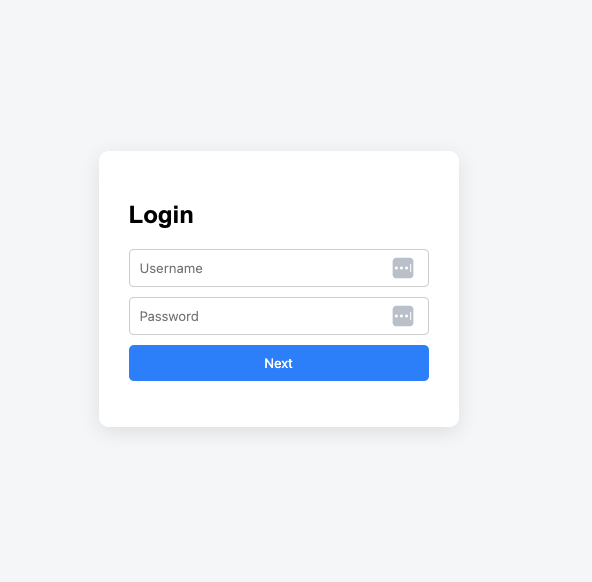
Login
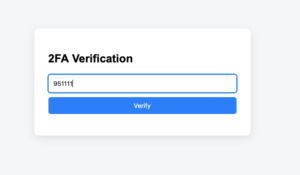
- Username/password validated via LDAP
- TOTP retrieved from LDAP
- User provides TOTP code
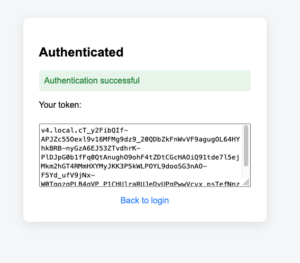
- Token issued
TOTP
- Based on shared secret
- Time-based (30s window)
- No external dependencies
LDAP stores the secret (encoded)
API Design
Base URL
http://localhost:8082
Endpoints
1. Version
curl http://localhost:8082/version
2. List Records
curl -H "Authorization: Bearer $DEVOPSDB_TOKEN" \
  http://localhost:8082/devops-db.internal/list
Filters:
?target=172.21.5.241
?name=git
3. Insert Record
CNAME
curl -X POST http://localhost:8082/devops-db.internal/insert \
  -H "Authorization: Bearer $DEVOPSDB_TOKEN" \
  -H "Content-Type: application/json" \
  -d '{
    "name": "test",
    "type": "CNAME",
    "value": "gitlab.devops-db.internal"
  }'
A Record
curl -X POST http://localhost:8082/devops-db.internal/insert \
  -H "Authorization: Bearer $DEVOPSDB_TOKEN" \
  -H "Content-Type: application/json" \
  -d '{
    "name": "dns-api",
    "type": "A",
    "value": "172.21.5.241"
  }'
4. Delete Record
curl -X DELETE \
  -H "Authorization: Bearer $DEVOPSDB_TOKEN" \
  "http://localhost:8082/devops-db.internal/delete?name=test"
API Documentation and Authentication (Swagger UI)
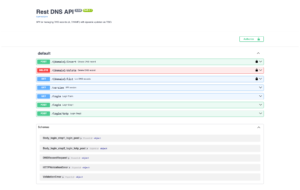
To improve usability and developer experience, the API exposes interactive documentation via Swagger UI.
Why Swagger Matters
While the API is fully accessible via tools like curl, Swagger provides:
- Interactive endpoint testing
- Automatic documentation
- Schema validation
- Faster onboarding for new users
Accessing Swagger
By default, FastAPI exposes Swagger at:
http://localhost:8082/docs
Securing Swagger with Authentication
Since this API performs sensitive operations (DNS updates), Swagger must not be publicly accessible without authentication.
Authentication Mechanism
The API uses Bearer tokens (PASETO).
Swagger integrates with this via FastAPI’s security schema:
security = HTTPBearer()
How Authentication Works in Swagger
- Open
/docs - Click “Authorize”
- Insert token:
Bearer <your_token>
- Execute requests normally
Why This Approach
✔ Keeps API stateless
✔ Reuses the same security model
✔ Avoids session complexity
✔ Works seamlessly with automation
Example
Authorization: Bearer v4.local.ZIZ_gAiQ6rkq4XoD9kJg...
Security Considerations
- Tokens must be short-lived (TTL enforced)
- Swagger should not be exposed publicly without protection
- Consider restricting access via:
- VPN
- IP filtering
- reverse proxy auth
Optional Hardening
For production environments:
- Disable Swagger (
docs_url=None) - Or restrict it behind authentication middleware
Key Validation Rules
CNAME Constraints
- Cannot coexist with other record types
- Must be unique per name
A Record Validation
- Must be valid IPv4
- No domain concatenation
TTL Constraints
- Range: 60–86400
- Prevents abuse and misconfiguration
Internal Flow (Insert Example)
- Validate token → permissions
- Validate input
- Check conflicts
- Normalize values
- Build DNS UPDATE message
- Send via TCP
- Validate response
Why RFC 2136 + API?
This architecture combines:
- Protocol-level correctness (DNS)
- Application-level control (API)
Benefits
✔ Safe automation
✔ Fine-grained permissions
✔ No manual DNS changes
✔ Scalable
Trade-offs
❌ Requires DNS server control
❌ Requires secure key management
❌ Not cloud-provider-native