
Linux – A TUI for PostgreSQL Connections with AWS IAM Support
Managing PostgreSQL connections across multiple environments can quickly become messy.
Different hosts, users, ports, databases — and when AWS RDS enters the picture with IAM authentication, the login process becomes even more verbose.
After dealing with this repeatedly, I decided to build a small tool to simplify the workflow.
That’s how pssql was created.
It’s a lightweight Terminal User Interface (TUI) that lets you quickly select a PostgreSQL connection and open it using either psql or pgcli, with optional AWS IAM token generation.
Project repository:
The Problem
Typical PostgreSQL workflows often look like this:
psql "host=my-db.company.internal port=5432 user=admin dbname=analytics"Or when working with AWS RDS IAM authentication:
export PGPASSWORD=$(aws rds generate-db-auth-token \
  --hostname mydb.xxxxxx.eu-west-1.rds.amazonaws.com \
  --port 5432 \
  --region eu-west-1 \
  --username admin)

psql "host=mydb.xxxxxx.eu-west-1.rds.amazonaws.com port=5432 user=admin sslmode=require"
If you manage multiple environments such as:
- dev
- staging
- production
- analytics
- internal tooling
you quickly end up juggling many connection strings, scripts or environment variables.
Even if you store them in .pg_service.conf, switching between them is still not particularly friendly.
The Idea
Instead of remembering connection strings, I wanted a simple interactive selector.
The idea behind pssql is straightforward:
- Store connection definitions
- Launch a TUI
- Select the desired connection
- Automatically connect using
psqlorpgcli
If the connection requires AWS IAM authentication, the tool generates the token automatically before connecting.

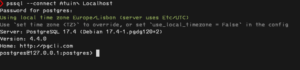

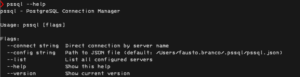
Features
Interactive TUI
Select your PostgreSQL connection from a clean terminal interface.
AWS IAM Authentication
Automatically generate RDS authentication tokens using the AWS CLI.
Choose Your Client
Connect using either:
psqlpgcli
depending on your preference.
Minimal Setup
No complex configuration system — just define your connections and launch the tool.
Installation
If you use Homebrew, installation is straightforward:
brew tap faustobranco/tap
brew install pssql
Or you can clone the repository and build it manually:
git clone https://github.com/faustobranco/pssql
cd pssql
Full instructions are available in the repository.
Configuration
The tool expects a JSON file at ~/.pssql/pssql.json.
JSON
{
	"postgresql": [
		{
			"name": "Postgres Prod",
			"host": "myprodpostgresql.eu-central-1.rds.amazonaws.com",
			"port": 5432,
			"database": "postgres",
			"user": "admin",
			"cli": "pgcli"
		},
		{
			"name": "Postgres Dev",
			"host": "mydevpostgresql.eu-central-1.rds.amazonaws.com",
			"port": 5432,
			"database": "postgres",
			"user": "admin",
			"cli": "pgcli"
		},
		{
			"name": "Postgres Test - AWS",
			"host": "mytestpostgresql.jio43u089fge.eu-central-1.rds.amazonaws.com",
			"port": 5432,
			"database": "postgres",
			"user": "your.user",
			"auth": "aws-iam",
			"aws-iam": {
				"region": "eu-central-1",
				"profile": "test"
			},
			"cli": "pgcli"
		}
	]
}
Usage
| Command | Description |
|---|---|
| pssql | Open interactive menu |
| pssql –connect “Name” | Connect directly to a specific server |
| pssql –list | List all configured servers |
| pssql –config ./alt.json | Use a different config file |
Usage
Run the tool:
pssqlYou’ll be presented with a list of configured PostgreSQL connections.
After selecting one, pssql will:
- Generate an IAM token if required
- Prepare the connection string
- Launch either
psqlorpgcli
All without needing to type connection details manually.
When This Is Useful
This tool becomes particularly useful if you:
- work with many PostgreSQL instances
- use AWS RDS with IAM authentication
- prefer terminal database clients
- frequently switch between environments
Instead of remembering connection details, you simply pick the one you want.
Why Not Just Use Scripts?
You could wrap your connections in shell scripts, but that approach tends to grow into a messy collection of files over time.
A TUI keeps everything:
- discoverable
- consistent
- fast to navigate
while still keeping the workflow entirely in the terminal.
Final Thoughts
Small tools that remove friction from daily workflows can make a surprising difference.
pssql was built to simplify something I do many times a day: connecting to PostgreSQL databases across different environments.
If you spend a lot of time in the terminal working with Postgres, especially on AWS, this might make your workflow a bit smoother.
Project repository:
