Jenkins – Making Jenkins Builds Easier to Identify with buildName / displayName
As CI/CD pipelines grow, Jenkins jobs tend to produce a large number of builds. When multiple branches, environments, and versions are involved, the default Jenkins build numbering quickly becomes difficult to navigate.
By default, Jenkins displays builds like this:
#142
#143
#144
While this works for simple pipelines, it becomes almost useless in larger systems where you need to quickly identify:
- which project was built
- which environment was targeted
- which version or image tag was produced
- which branch or commit triggered the build
To solve this, Jenkins allows you to customize the build name, making each execution easier to understand directly from the UI.
In modern pipelines, this is usually done using: currentBuild.displayName
Example: Setting a Custom Build Name
Below is a simple pipeline example that names builds using parameters and an image tag.
Of course, the values, if needed, should be retrieved from the environment, git, whatever; the values below are merely for example purposes, without adding any additional complexity to the example.
pipeline {
    agent any

    parameters {
        string(name: 'Project', defaultValue: 'api-devops', description: 'Project name')
        choice(name: 'Environment', choices: ['dev', 'staging', 'prod'], description: 'Deployment environment')
        string(name: 'Git_tag', defaultValue: '1.0.1', description: 'Gitlab Tag')
    }

    environment {
        IMAGE_TAG = "${params.Git_tag}"
        BRANCH_NAME = "TICKET-12345"
        GIT_COMMIT = "d1fa223"
    }

    stages {

        stage('Set Build Name') {
            steps {
                script {
                    currentBuild.displayName = "#${params.Project} - ${params.Environment} - ${env.IMAGE_TAG}"
                    currentBuild.description = "Branch: ${env.BRANCH_NAME} - Commit: ${env.GIT_COMMIT}"
                }
            }
        }

        stage('Build') {
            steps {
                echo "Building ${params.PROJECT}"
            }
        }

        stage('Deploy') {
            steps {
                echo "Deploying to ${params.ENVIRONMENT}"
            }
        }

    }
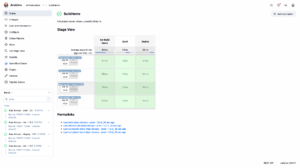
}In the Jenkins UI, builds will appear like this:
#api-devops – dev – 1.0.1
#api-devops – staging – 1.0.1
#api-devops – dev – 1.0.2
#api-devops – prod – 1.0.1
Instead of only showing:
#142
#141
#140
This makes it much easier to identify what each execution represents.
Build Description
You can also add extra context to the build using currentBuild.description.
currentBuild.description = "Branch: ${env.BRANCH_NAME} - Commit: ${env.GIT_COMMIT}"
This information appears when opening the build details and can be useful for auditing or troubleshooting.
Conclusion
Customizing Jenkins build names is a small change that can dramatically improve the usability of CI/CD pipelines.
By including meaningful information such as project name, environment, branch, commit, or version, teams can navigate builds faster, troubleshoot issues more efficiently, and maintain clearer deployment histories.
For organizations running large Jenkins installations with hundreds of daily builds, this practice quickly becomes a simple but powerful improvement to pipeline visibility.